TL;DR
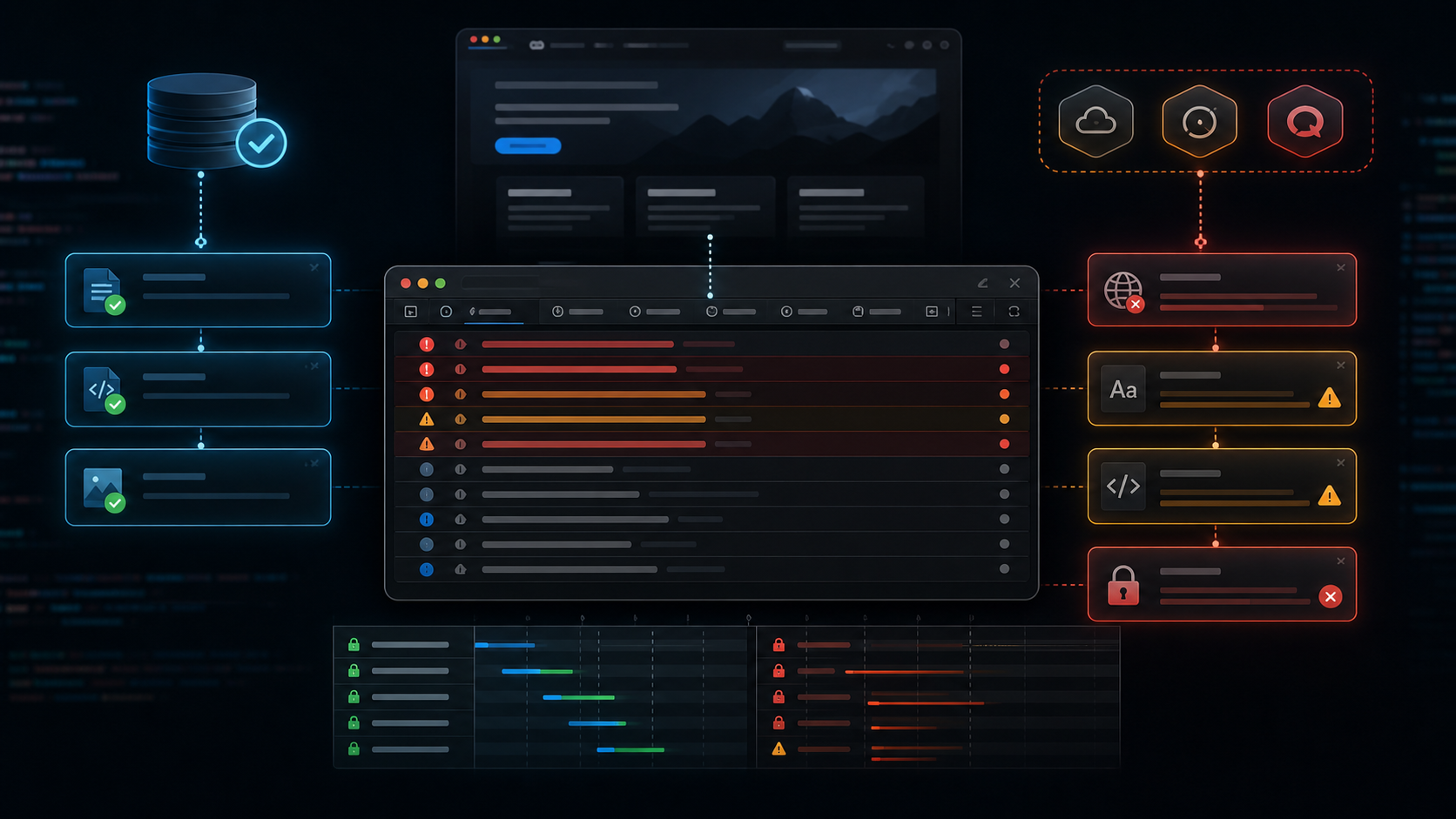
A storefront loaded, but the browser console looked awful: third party fonts were blocked by CORS, a vendor API returned ERR_CERT_DATE_INVALID, Firebase notification permission errors repeated several times, and one trace endpoint returned 404. The hosting stack was not the cause. The failures came from an external app domain and its own API certificate. The useful move was to separate first party requests from vendor requests before changing server headers or cache rules.
The Setup
I was checking a production storefront after a customer reported broken behavior from a widget. The site itself loaded. Product content was visible. The layout was mostly there.
Then I opened the console.
Messy.
The first capture had 2,441 bytes of console output. The last one had 5,939 bytes. The same errors repeated after a trace page loaded, which told me this was not a one time browser hiccup.
The first instinct in these cases is usually hosting. CORS means headers, headers mean server, server means hosting. That path is tempting.
Not quite.
The URLs in the errors were the clue. They were not first party assets from the customer site. They came from a third party app domain.
Step 1: Save The Console Instead Of Guessing
I started by saving browser console output during the exact page load.
playwright-cli console
The useful lines were grouped tightly:
[ERROR] Access to font at 'https://static.vendor.example/assets/fonts/lato-bold.woff2' from origin 'https://store.example' has been blocked by CORS policy: No 'Access-Control-Allow-Origin' header is present on the requested resource.
[ERROR] Failed to load resource: net::ERR_FAILED
[ERROR] Failed to load resource: net::ERR_CERT_DATE_INVALID @ https://stats.vendor.example/v1/?act=new_token
[LOG] An error occurred while retrieving token. FirebaseError: Messaging: The notification permission was not granted and blocked instead.
[ERROR] Failed to load resource: the server responded with a status of 404 @ https://store.example/trace-done
Five symptoms. One page load.
This is where support work can get sideways. If you chase all five as separate hosting problems, you waste an hour.
Step 2: Sort Errors By Ownership
I split the errors into first party and third party.
First party:
https://store.example/trace-done returned 404

Third party:
https://static.vendor.example/assets/fonts/lato-bold.woff2 CORS blocked
https://static.vendor.example/assets/fonts/lato-regular.woff2 CORS blocked
https://static.vendor.example/assets/external-fonts/arimo/Arimo-Bold.woff2 CORS blocked
https://stats.vendor.example/v1/?act=new_token certificate invalid
Firebase messaging permission blocked inside vendor script
That changed the whole investigation.
A host can add CORS headers for files it serves. It cannot add Access-Control-Allow-Origin to a font file served by another company. It also cannot renew a TLS certificate for a vendor API endpoint.
Same console. Different owner.
Step 3: Check Whether The Broken Resource Is Required
Blocked fonts look scary, but they are not always fatal. The browser can fall back to another font and keep rendering.
The certificate error mattered more.
Failed to load resource: net::ERR_CERT_DATE_INVALID
https://stats.vendor.example/v1/?act=new_token
That is not a cache problem. That is the browser refusing to talk to an HTTPS endpoint because the certificate chain is invalid for the current date.
If the widget needs that API response to create a token, analytics session, loyalty state, push notification state, or popup state, part of the app can fail even though the customer site is healthy.
The Firebase error was noisy too:
FirebaseError: Messaging: The notification permission was not granted and blocked instead.
That one was less urgent. Browsers block notification permission until a user gesture in many cases. It explains a console warning, not usually a broken storefront.
Step 4: Avoid The Wrong Server Fix
The wrong fix would be adding broad CORS headers on the customer site.
Header set Access-Control-Allow-Origin "*"
That would not fix the vendor fonts, because the customer server never sends those font responses. It would only loosen headers on the wrong origin.
The better test was simpler: hit the vendor asset directly and inspect the response.
curl https://static.vendor.example/assets/fonts/lato-bold.woff2
Expected result if the vendor fixed it:
access-control-allow-origin: https://store.example
content-type: font/woff2
Actual result in the browser:
No 'Access-Control-Allow-Origin' header is present on the requested resource.
The font server needed the header. Not the storefront.
Step 5: Check The Certificate Separately
For certificate failures, I do not start in WordPress. I check the endpoint itself.
curl https://stats.vendor.example/v1/?act=new_token
The browser had already told the story:
net::ERR_CERT_DATE_INVALID
That error means the TLS problem happens before the application response matters. PHP, cache, WordPress plugins, and theme code are not in the path yet.
The vendor has to fix the certificate. If they proxy through a different endpoint, they need to fix that endpoint. If the app lets you disable the failing feature, that can be a temporary workaround.
Step 6: Decide What To Tell The Customer
I do not like telling a customer "ask the vendor" unless I can show exactly why.
So I summarized it like this:
The site is loading from the host correctly.
The failing resources are served by the third party widget provider.
Their font responses are missing CORS headers.
Their stats API is failing TLS validation with ERR_CERT_DATE_INVALID.
The Firebase warning is notification permission noise from the same widget.
The host cannot repair headers or certificates on the vendor domains.
That is much stronger than "not our issue."
It gives the vendor exact URLs, exact browser errors, and a clean ownership boundary.
Step 7: Keep A Temporary Mitigation Ready
If the widget is cosmetic, disable it until the vendor fixes the endpoint.
If it controls checkout, loyalty points, reviews, or account login, do not just disable it. Test the user journey first.
My quick matrix was:
Homepage loads: yes
Product page loads: yes
Cart opens: test needed
Checkout opens: test needed
Widget UI visible: partly
Vendor token API: failed
Vendor fonts: blocked
That tells everyone what is safe to touch.
For WordPress sites, this is also where plugin isolation helps. Disable the suspected widget on staging, retest the page, then decide whether the production mitigation is worth the tradeoff. If the site has a staging environment, use it. I covered a similar risk mindset in How Media Cleaner Pro Silently Deleted WooCommerce Product Images.
What I Check First Now
I scan the hostname before I read the error text.
Same site domain? Maybe hosting, WordPress, theme, plugin, cache, or server headers.
External domain? Prove whether the host controls it before changing anything.
That small habit prevents a lot of bad fixes.
FAQ
Can my host fix CORS errors from a third party script?
Usually no. CORS headers must be sent by the server that serves the blocked resource. If the blocked font or script is on a vendor domain, that vendor has to send the correct header.
Why do fonts get blocked by CORS?
Browsers apply stricter cross origin checks to font files than to many images. If a CSS file asks for a font from another origin, that font response needs an allowed origin header.
Does ERR_CERT_DATE_INVALID mean my site SSL is broken?
Not always. Check the hostname in the error. If the invalid certificate belongs to a vendor API domain, your own SSL certificate can be perfectly fine.
Should I add Access Control Allow Origin everywhere?
No. Broad CORS headers can create unnecessary exposure, and they will not fix resources served by another origin. Add CORS only where you own the resource and understand who should load it.
Are Firebase notification errors serious?
Sometimes, but often they are permission noise. If the site works without push notifications, focus first on hard failures like blocked required scripts, failed API tokens, and TLS errors.
What is the fastest test?
Copy the failing URL from DevTools and check who owns the domain. If it is external, test that URL directly and send the exact console line to the vendor.