TL;DR
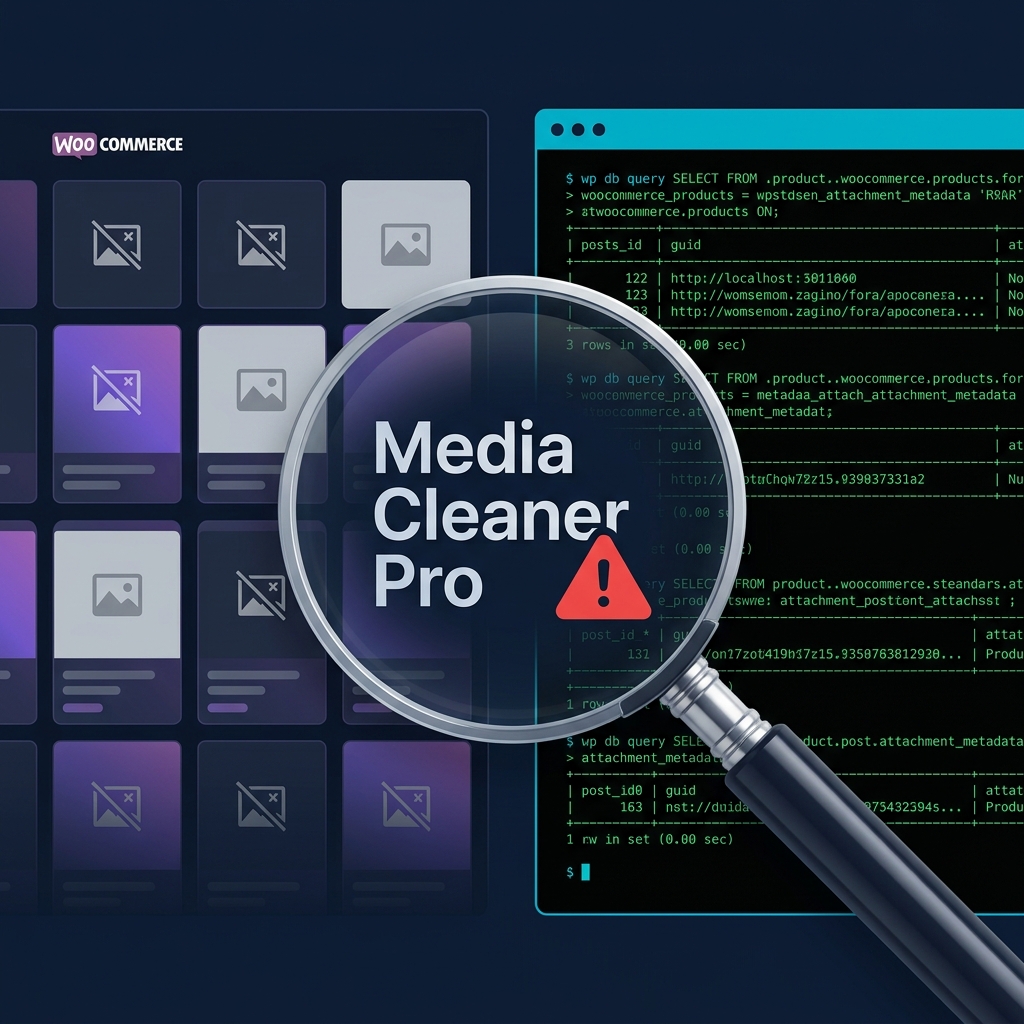
A WooCommerce store owner reported product images and category thumbnails suddenly disappearing. Thumbnail regeneration did not fix it. Multiple backup restores made things worse. The actual cause was Media Cleaner Pro running in expert mode, which flagged product images as "unused" and permanently deleted both the files from disk and the attachment records from the database. The wpmc-trash directory in uploads was the forensic clue. All remaining attachments were intact, confirming selective deletion rather than a server or hosting issue.
The Report
A store owner opened a ticket saying product images were disappearing from the site. WooCommerce product pages showed the default placeholder image instead of the actual product photo. Category thumbnails were also gone. Some products still had an image field set, but the source was empty (src=""). Others had no image assigned at all.
The store had roughly 4,800 published products and 19,000 media attachments. This was not a small operation.
Step 1: The Wrong First Instinct
The first support agent looked at the symptoms (missing thumbnails, placeholder images) and suggested regenerating all media thumbnails with wp media regenerate. That seemed logical. WooCommerce stores often break thumbnail display after theme changes or image size reconfiguration.
The problem: there were 20,000+ images to regenerate. It would take hours. The store owner asked to test on a few specific products first before committing to the full run. Smart move.
But even before testing, they reported something more concerning. A product that had a working image just minutes earlier now showed no image at all. The image assignment itself was disappearing in real time.
That ruled out a thumbnail generation issue. Thumbnails are just resized copies. If the product image assignment is vanishing, something is actively modifying or deleting data.
Step 2: Backup Restores That Made Things Worse
The team tried restoring from backups. Twice. The first restore got stuck at 38%. The second restore completed but introduced new problems: the theme's custom functions.php was replaced with the default Hello Elementor version, breaking custom functionality. Categories started showing blog posts instead of products.
After fixing the functions.php manually and restoring again, the original image issue was still there. Backup restores were not solving it because the image data was already corrupted in the backup itself, or the corruption was happening again after each restore.
Someone also ran a search and replace (wp search-replace) on the database, which ended up breaking image URLs that were previously still working. A 300x300 thumbnail that the store owner confirmed was accessible became a 404 after the search and replace.
At this point the situation was worse than when the ticket was opened.
Step 3: Starting the Forensic Investigation
I stopped all interventions and started diagnosing from scratch with WP-CLI queries.
Total products vs products with a featured image:
$ wp db query "SELECT COUNT(*) FROM wp_posts WHERE post_type='product' AND post_status='publish'" --skip-column-names
4875

$ wp db query "SELECT COUNT(*) FROM wp_posts p INNER JOIN wp_postmeta pm ON p.ID = pm.post_id AND pm.meta_key='_thumbnail_id' WHERE p.post_type='product' AND p.post_status='publish' AND pm.meta_value > 0" --skip-column-names
4774
101 products were missing their _thumbnail_id entirely. Not broken references, not empty values. The meta row was completely gone.
Step 4: Checking for Broken References
Next question: of the 4,774 products that do have a _thumbnail_id, do any point to an attachment that no longer exists?
$ wp db query "SELECT COUNT(*) FROM wp_posts p
  INNER JOIN wp_postmeta pm ON p.ID = pm.post_id AND pm.meta_key='_thumbnail_id'
  LEFT JOIN wp_posts a ON pm.meta_value = a.ID AND a.post_type='attachment'
  WHERE p.post_type='product' AND p.post_status='publish'
  AND pm.meta_value > 0 AND a.ID IS NULL" --skip-column-names
0
Zero. Every _thumbnail_id that existed pointed to a valid attachment record. This was important. It meant the damage was clean: whatever deleted the images also cleaned up the database references. No orphaned meta rows pointing to missing attachments. That is not how a random server crash or disk failure behaves. That is how a plugin behaves.
Step 5: Checking the File System
The store owner reported that a specific image file (de654cb6-12c2-4990-89e1-b86170fd2a07-1.jpg) should exist in wp-content/uploads/2026/01/. I checked:
$ find wp-content/uploads/2026/01/ -name "de654cb6*"
Empty result. The file, all its thumbnails, and all its WebP variants were gone. Completely.
But the 2026/01/ directory still had 216,440 files in it. This was not a directory wipe. Something had selectively deleted specific files.
I then sampled 500 random attachments from the database and checked if their files existed on disk:
$ wp db query "SELECT pm.meta_value FROM wp_posts p
  INNER JOIN wp_postmeta pm ON p.ID = pm.post_id AND pm.meta_key='_wp_attached_file'
  WHERE p.post_type='attachment' ORDER BY RAND() LIMIT 500" --skip-column-names \
  | while read -r file; do
    file=$(echo "$file" | tr -d '|' | xargs)
    [ -n "$file" ] && [ ! -f "wp-content/uploads/$file" ] && echo "MISSING: $file"
  done | wc -l
0
Zero missing. Every attachment that still had a database record also had its file on disk. The pattern was clear: whatever deleted the images removed both the file AND the database record, leaving zero trace in the attachment table.
Step 6: The wpmc-trash Directory
While listing the uploads directory, I noticed something:
$ ls wp-content/uploads/
...
wpmc-trash
...
wpmc-trash. That is the trash directory created by WP Media Cleaner. I checked:
$ wp plugin list --status=active | grep media-cleaner
media-cleaner-pro    active    7.0.4
Media Cleaner Pro was active on the site. Running. Right now.
$ ls wp-content/uploads/wpmc-trash/
2025  2026

$ find wp-content/uploads/wpmc-trash/ -type f | wc -l
0
The trash directory existed with year subdirectories, but was empty. The plugin had moved files to trash and then the trash was emptied, permanently deleting everything.
Step 7: Confirming the Settings
I pulled the plugin configuration from the options table:
$ wp db query "SELECT option_value FROM wp_options WHERE option_name='wpmc_options'" --skip-column-names
The key settings:
expert_mode: true(aggressive scanning)method: media(scanning the media library)images_only: true(targeting images specifically)skip_trash: false(files go to trash first, but trash was manually emptied)debuglogs: true(logging enabled, but the log file was deleted during one of the backup restores)
Expert mode with images_only targeting the media library. The plugin scanned all media, determined that certain product images were "unused" (likely because WooCommerce stores image references in product meta rather than in post content), and deleted them.
Step 8: The Affected Products
$ wp db query "SELECT p.ID, p.post_title FROM wp_posts p
  LEFT JOIN wp_postmeta pm ON p.ID = pm.post_id AND pm.meta_key='_thumbnail_id'
  WHERE p.post_type='product' AND p.post_status='publish'
  AND (pm.meta_value IS NULL OR pm.meta_value = '' OR pm.meta_value = '0')
  LIMIT 10"

+-------+------------------------------------------+
| ID    | post_title                               |
+-------+------------------------------------------+
| 58492 | חולצת עבר ספרד בית 2018                  |
| 58497 | חולצת עבר ספרד בית 2012                  |
| 58502 | חולצת עבר ספרד חוץ 2011                  |
| 58507 | חולצת עבר ספרד בית 2010                  |
| 58512 | חולצת עבר ספרד חוץ 2010                  |
...
Sequential product IDs, all from the same product batch. These were imported together, and Media Cleaner flagged their images as a group because they shared the same import pattern (UUID-based filenames from an external source).
46 product categories also lost their thumbnail assignments. Same cause.
Why This Happens
Media Cleaner Pro scans your site content (posts, pages, widgets, theme files) looking for references to media files. If it cannot find a reference to an image anywhere in your content, it flags the image as "unused."
The problem is that WooCommerce stores product image assignments in wp_postmeta (the _thumbnail_id field), not in post content. Media Cleaner's content scanning may not always trace these meta-based relationships correctly, especially in expert mode. The plugin's own documentation lists WooCommerce as a "native plugin" it supports, but the scan clearly missed these product image references.
When expert_mode is enabled, the plugin becomes more aggressive about what it considers unused. Combined with the images_only filter, it had a narrow target and a broad trigger.
The Recovery Plan
- Deactivate Media Cleaner Pro immediately to stop any further deletions
- Find a backup from before the plugin ran its cleanup (the exact date when images started disappearing)
- Restore only the database from that backup to recover the attachment records and
_thumbnail_idmeta values - Restore the missing files from the backup's
wp-content/uploads/directory - Regenerate thumbnails with
wp media regenerate --only-missingafter the files and DB records are restored - Verify with the same diagnostic queries to confirm zero missing files and full thumbnail coverage
Lessons
Do not run media cleanup plugins on WooCommerce stores without a tested backup. The "unused media" detection is inherently fragile because WooCommerce, Elementor, ACF, and other plugins store media references in meta fields and serialized data that content scanners may not fully parse.
Expert mode is dangerous. The name tells you: it assumes you know what you are doing. On a store with 19,000+ media files and complex product relationships, expert mode will inevitably flag something incorrectly.
Empty the trash manually? Think twice. Media Cleaner's trash is your safety net. Once you empty it, recovery requires a full backup restore. If the plugin's trash had not been emptied, this entire situation would have been a one-click fix.
Thumbnail regeneration is a red herring for this issue. If the product's _thumbnail_id meta is missing or the attachment record is deleted, regenerating thumbnails does nothing. There is nothing to regenerate. The relationship between the product and the image is gone. You need a database restore to bring it back. For more on extracting specific data from WordPress database dumps, check out my guide on extracting post meta from SQL dumps.
Stop and diagnose before attempting fixes. In this case, multiple well-intentioned interventions (thumbnail regeneration, backup restores, search and replace) each made the situation worse. Five minutes of WP-CLI queries would have identified the root cause before any of those actions were taken.
Frequently Asked Questions
Can Media Cleaner Pro delete WooCommerce product images?
Yes. Media Cleaner scans your site content for references to media files and flags anything it considers unused. WooCommerce stores product image assignments in the wp_postmeta table (as _thumbnail_id), not in post content. If Media Cleaner's scanning does not fully trace these meta-based relationships, it can incorrectly flag active product images as unused and delete them.
How do I check if my WooCommerce products are missing featured images?
Run this WP-CLI query to count products without a _thumbnail_id:
wp db query "SELECT COUNT(*) FROM wp_posts p LEFT JOIN wp_postmeta pm ON p.ID = pm.post_id AND pm.meta_key='_thumbnail_id' WHERE p.post_type='product' AND p.post_status='publish' AND (pm.meta_value IS NULL OR pm.meta_value = '0')" --skip-column-names
Compare the result against your total published product count. The gap is your missing images.
Will regenerating thumbnails fix missing WooCommerce product images?
Only if the original image file still exists on disk and the attachment record still exists in the database. If both the file and the attachment record have been deleted (which is what Media Cleaner does), thumbnail regeneration will not help. You need to restore the files and database records from a backup first.
What is the wpmc-trash directory in WordPress uploads?
This is the trash folder created by WP Media Cleaner (both free and Pro versions). When the plugin deletes media files, it moves them to wp-content/uploads/wpmc-trash/ first. You can restore files from this directory through the plugin's interface. If the trash has been emptied, the files are permanently deleted and can only be recovered from a server backup.
How do I safely use a media cleanup plugin on a WooCommerce store?
Take a full backup (files and database) before running any scan. Disable expert mode. Review every flagged item manually before deleting. Never empty the plugin's trash until you have verified the store is working correctly for at least a week. Better yet, test the cleanup on a staging copy of the site first. If your hosting provider offers staging environments, use them. I covered how hosting choices affect your workflow in my guide on choosing the right web hosting.
How can I tell if a WordPress plugin is deleting my media files?
Look for plugin-specific trash directories in wp-content/uploads/ (like wpmc-trash). Check the wp_posts table for decreasing attachment counts over time. Enable debug logging in the plugin's settings if available. Compare your attachment count in the database against the actual file count in your uploads directory. If the database count is significantly lower than expected but the remaining files all check out, something cleaned up both the files and DB records together, which is characteristic of a cleanup plugin rather than a server issue.